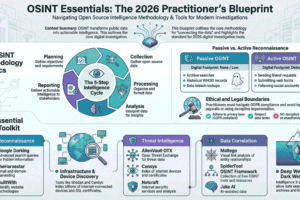
The Complete Guide to OSINT(Open Source Intelligence)
Introduction
In today’s digital world, information is everywhere. From social media and websites to public
records and online forums, massive amounts of data are freely available. The ability to collect,
analyze, and use this information effectively is known as OSINT–Open Source Intelligence.
OSINT plays a crucial role in cybersecurity, journalism, law enforcement, corporate
investigations, national security, and personal safety. This blog post provides a complete, in depth guide to OSINT, covering its meaning, sources, tools, techniques, ethics, career paths, and learning roadmap.
What is OSINT?
OSINT(Open Source Intelligence)refers to the process of collecting information from publicly
available sources, analyzing it, and turning it in to useful intelligence legally and ethically. OSINT does not involve hacking, breaching systems, or accessing private data. It relies only on information that is openly accessible.
Examples of OSINT data
- Social media posts
- News articles
- Government records
- Public websites
- Online forums
- Domain and IP data
- Images and videos
Why is OSINT Important?
OSINT is widely used because it is:
- Legal–Uses public data
- Cost-effective–Most tools are free or low-cost
- Powerful–Reveals patterns, connections, and risk
Major Use Cases
- Cybersecurity and threat intelligence
- Investigative journalism
- Law enforcement and criminal investigation
- Background checks and corporate due diligence
- Intelligence and national security
- Ethical hacking and penetration testing
- Market research and brand monitoring
Types of OSINT Source
OSINT data comes from many categories of public sources:
- Search Engines: Google, Bing, DuckDuckGo (Used for advanced searching and information discover)
- Social Media(SOCMINT) : Facebook, Instagram, X(Twitter), LinkedIn, TikTok, Reddit(Useful for profiling, network mapping, sentiment analysis)
- Websites & Online Communities : Blogs, forums, Q&A sites(Quora, Stack Overflow) (Discussion boards and niche communities)
- News & Media Source : Online newspapers, media portals, archive (Fact-checking, event tracking, investigative research)
- Public Records & Government Data : Court records, business registries, land records (Government open data portal)
- Technical OSINT : Domains, IP addresses, DNS records (Network infrastructure data)
- Images & Videos :Photos from social media and news (Video platforms like YouTube)
- Dark Web OSINT : Breach data, leaks, under ground forums (Accessed legally through monitoring tool)
Popular OSINT Tools
1. Maltego – Relationship & Network Mapping
Example use cases:
Example 1: Mapping a Twitter Account’s Network
You start with a suspect Twitter username.
With Maltego you can:
• Find linked email addresses
• Discover connected domains/websites
• Identify other social profiles using the same username
• Visualize followers & interactions
• Map relationships between multiple accounts
👉 Result: You get a graph view showing how accounts, emails, domains, and IPs connect.
Real scenario:
Tracking fake accounts spreading misinformation — Maltego reveals all accounts tied to one email/domain.
✅ Example 2: Company Investigation
Input: Company domain
Maltego finds:
• Employees on LinkedIn
• Subdomains
• Social accounts
• Related companies
👉 Used in penetration testing & threat intelligence.
🕷 2. SpiderFoot – Automated OSINT Collection
SpiderFoot is like an OSINT robot.
Example:
You enter a domain or username:
SpiderFoot automatically gathers:
• Social media profiles
• Email addresses
• IP addresses
• Dark web mentions
• Breaches
• WHOIS data
• Phone numbers
👉 Output: A full report + risk score.
Real scenario:
Cybersecurity analyst scans a brand name and finds:
• Leaked employee emails
• Fake Facebook pages
• Exposed AWS buckets
All in one scan.
🔎 3. Social-Searcher – Social Media Monitoring
Used to search posts across platforms without logging in.
Example:
Search:
It returns posts from:
• Twitter/X
• Facebook
• Instagram
• Reddit
• YouTube
With:
• Sentiment analysis
• Engagement metrics
• User info
Real scenario:
Brand monitoring.
Company searches its name → finds negative posts → responds quickly.
Also useful for:
• Scam detection
• Reputation management
• Trend analysis
🐦 4. TweetDeck / XPro – Twitter (X) Analysis
TweetDeck (now XPro) lets you monitor multiple live streams.
Example Setup:
Create columns:
🟦 Column 1: Keyword search
🟦 Column 2: Hashtag
🟦 Column 3: Specific user
🟦 Column 4: Mentions of your brand
🌍 Geolocation & Mapping (with Real Examples)
🗺 1. Google Maps / Google Earth
Used for satellite imagery, street view, terrain analysis, and measuring distances.
✅ Example 1: Locating a Photo
You receive an image showing:
• A mosque
• Nearby railway line
• Yellow buses
Steps:
-
Open Google Earth
-
Search city candidates
-
Compare satellite view with the photo
-
Use Street View to confirm buildings
👉 Result: Exact location identified.
Real OSINT use:
Verifying protest locations or disaster images.
✅ Example 2: Measuring Distance
Using the ruler tool:
You measure distance between two buildings → 450 meters.
Used in:
• Incident reconstruction
• Property analysis
• Event verification
🗺 2. Yandex Maps
Stronger in Russia, Eastern Europe, Central Asia and often has older street imagery.
Example:
Google Street View shows nothing.
Switch to Yandex Maps → older imagery shows:
• Store name
• Road signs
• Bus stop
👉 Helps confirm location when Google fails.
Real OSINT case:
Identifying military equipment locations using archived Yandex imagery.
🎯 3. GeoGuessr
Used for training geolocation skills.
Example:
You see:
• Red soil
• Left-side driving
• Palm trees
• English + Sinhala signs
Conclusion:
Likely Sri Lanka 🇱🇰
Then compare road lines and vegetation.
Used by OSINT analysts to practice:
• Terrain recognition
• Architecture styles
• Road markings
• Language detection
📸 4. EXIF.tools – Metadata Extraction
Extracts hidden metadata from images.
Example:
Upload a photo to EXIF.tools.
It reveals:
• GPS coordinates
• Camera model
• Date/time taken
• Software used
Sample Result:
Latitude: 6.9271
Longitude: 79.8612
Device: iPhone 12
Date: 2025-12-04 14:32
🖼 Image & Video Analysis (with Practical Examples)
🔍 1. Google Reverse Image Search
Used to find where an image first appeared or similar versions online.
✅ Example:
You receive an image claiming:
“Breaking news: Floods in Colombo today.”
Steps:
-
Upload image to Google Reverse Image Search
-
Results show same image from a 2019 India flood article
👉 Conclusion: Image is reused (fake context).
Real OSINT use:
• Detecting misinformation
• Finding original image source
• Identifying stolen profile photos
🧭 2. TinEye – Image Matching
Specialized in tracking exact image matches and modifications.
Example:
Upload profile picture of a suspicious account.
TinEye finds:
• Original stock photo website
• Cropped versions on scam pages
• Edited color versions
Sorted by:
• Oldest appearance
• Most changed
• Best match
👉 Confirms fake identity.
Used for:
• Scam detection
• Copyright tracking
• Deepfake investigations
🎥 3. InVID – Video Verification
Browser extension for analyzing videos from social media.
Example:
WhatsApp video claims riot happened yesterday.
InVID allows:
• Extract keyframes
• Reverse-search frames
• Check upload metadata
• Analyze thumbnails
Result:
Keyframe reverse search shows video from 2022 protest.
👉 Video is recycled.
Real usage:
• Journalist verification
• Conflict OSINT
• Fake news detection
🧬 4. FotoForensics – Image Manipulation Detection
Detects image editing using Error Level Analysis (ELA).
Example:
Image shows politician holding illegal item.
Upload to Foto Forensics.
ELA highlights object area brighter than background.
👉 Indicates possible Photoshop edit.
Used for:
• Spotting manipulated images
• Detecting splicing
• Verifying authenticity
https://github.com/rukshiroshan